Introduction to GBIF
GBIF is a network of biodiversity data from sources all over the world. Participating institutions share datasets, using widely accepted data standards. More information about GBIF can be found here.
DLC may publish data on behalf of other institutions. In these cases, only this introduction and the “Prepare your data” sections are relevant.
Darwin Core
Data in GBIF is formatted using Darwin Core, which provides a standardized vocabulary for biodiversity data. Some terms are required, depending on the type of dataset. Each term should represent a single field of data to enable field mapping during the IPT process.
Dataset classes
A resource in GBIF is formatted as one of four classes of datasets, each with its own guidelines and requirements for data quality:
- A metadata-only dataset describes resources that have not been digitized, allowing researchers to learn about potentially valuable resources. All dataset classes include metadata, but this type does not include additional data.
- A checklist contains named organisms or taxa, usually organized along taxonomic, geological, or other thematic lines. These datasets serve as an inventory of a collection either in whole or part.
- Occurrence datasets detail individual specimens at a given place and time and form the core of data published on GBIF. Occurrence datasets can be enhanced with extensions including audiovisual data, measurements, and relationship data.
- Sampling-event datasets give even more information about organisms at a given time in a specific location, including sampling methods used, relative abundances of species, and more.
Become a GBIF publisher
Once you review the data publisher agreement and agree in principle to share data, your institution can request to become a publisher.
Select a publishing partner
Most institutions publish their data to GBIF using the IPT (Integrated Publishing Toolkit) via a participant node as a partner. The IPT ensures that data is formatted correctly and gathers valuable metadata for each dataset. The Duke Lemur Center publishes our data with VertNet. If you would like to publish with a partner node, use this tool to find a particpant node near and/or relevant to your institution and reach out to learn more about their processes and guidelines.
Prepare your data
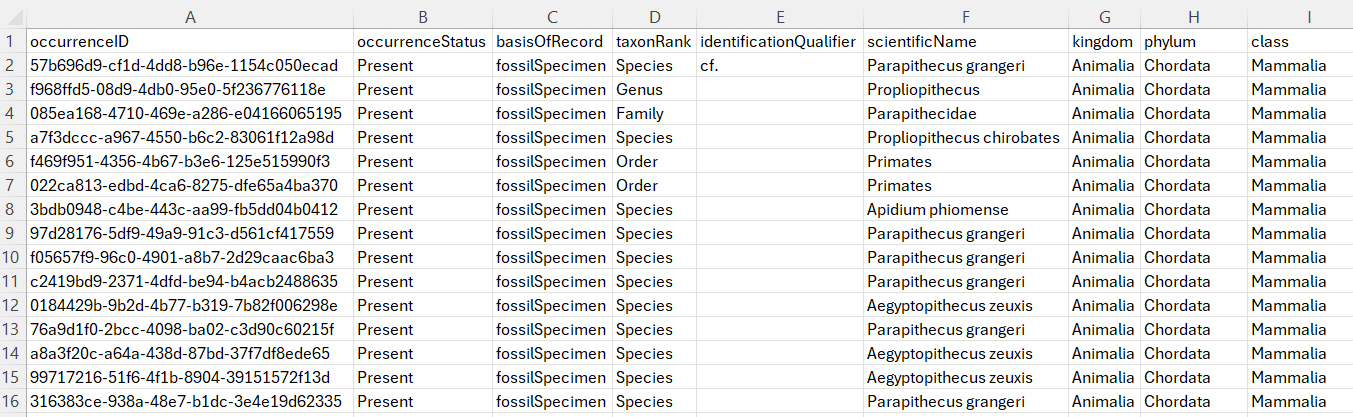
The goal of this part of the process is to have a comma-separated value (CSV) file with your data, using Darwin Core terms as headers. Whether you export from an existing database or start from scratch, ensure you include the required fields for your dataset class and pay special attention to fields that use controlled vocabulary or concatination. Some fields can be paired with others fields to provide additional context. For example, DCLMNH uses the term georeferenceRemarks to add context to coordinate fields, indicating where coordinates have been intentionally generalized or where estimations have been made from available historical data.
Export data
Export your data into a CSV format, using UTF-8 encoding to ensure special characters are represented correctly.
It is important to review your data to ensure that they are quality, complete, and useful. The IPT will make efforts to standardize some fields, especially taxonomic or location fields, but the verbatim data will be available alongside the more standardized version and these changes sometimes appear as errors, so it is best to test your data using the GBIF data validator.
Upload to IPT
Your publishing node partner should create an account for you to upload your data to the IPT. They can provide additional information about best practices and guidance for their specific installation.
Create a new resource
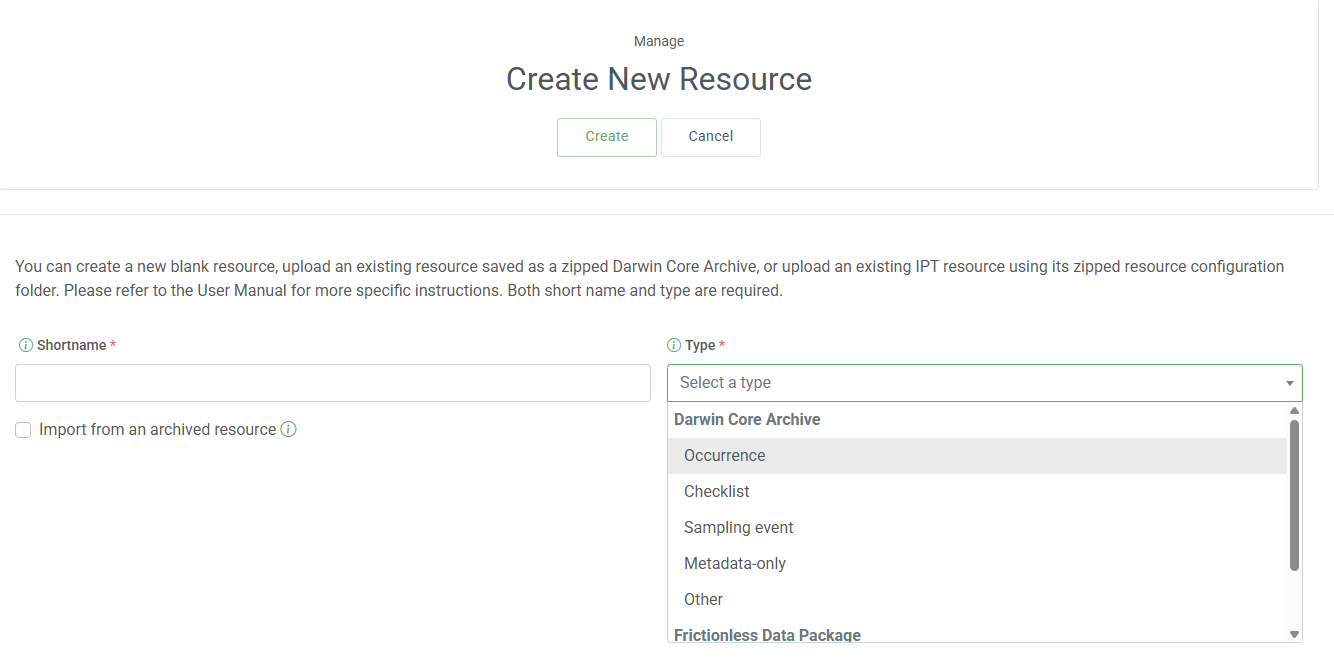
Create a new resource on your IPT for this dataset, selecting the class of dataset and providing a unique shortname that will be used in the URL of this resource.
Upload your CSV UTF-8 file to the Source Data section.
Map fields to Darwin Core
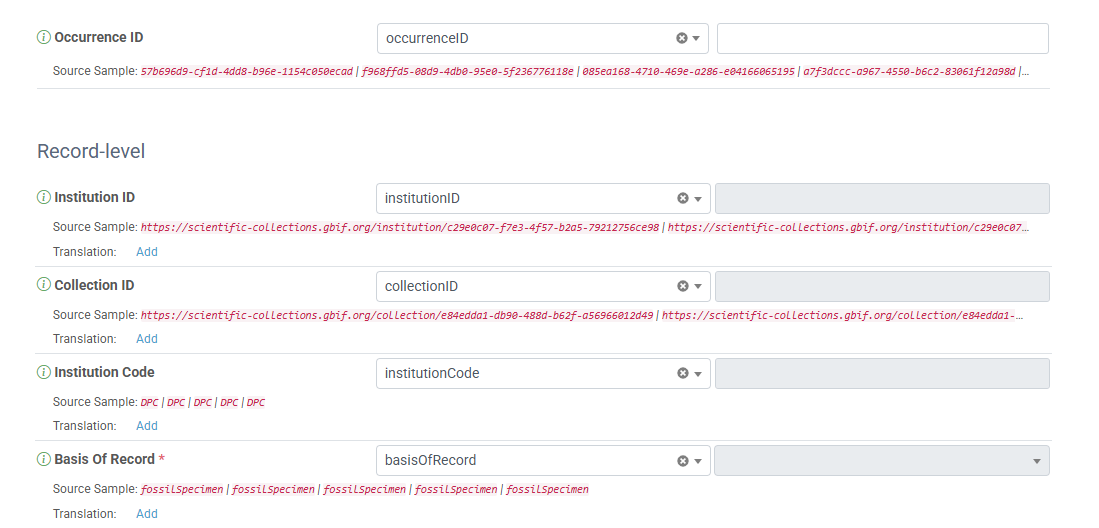
Add a new mapping, selecting the correct type of data for the dataset you have uploaded. Match the Darwin Core terms on the left to the appropriate header of your data. This is the benefit of using the Darwin Core terms as headers, as you can be sure they match. The small red text underneath will show a few examples of data in that field, allowing you to double check that the data is formatted as expected.
Add metadata
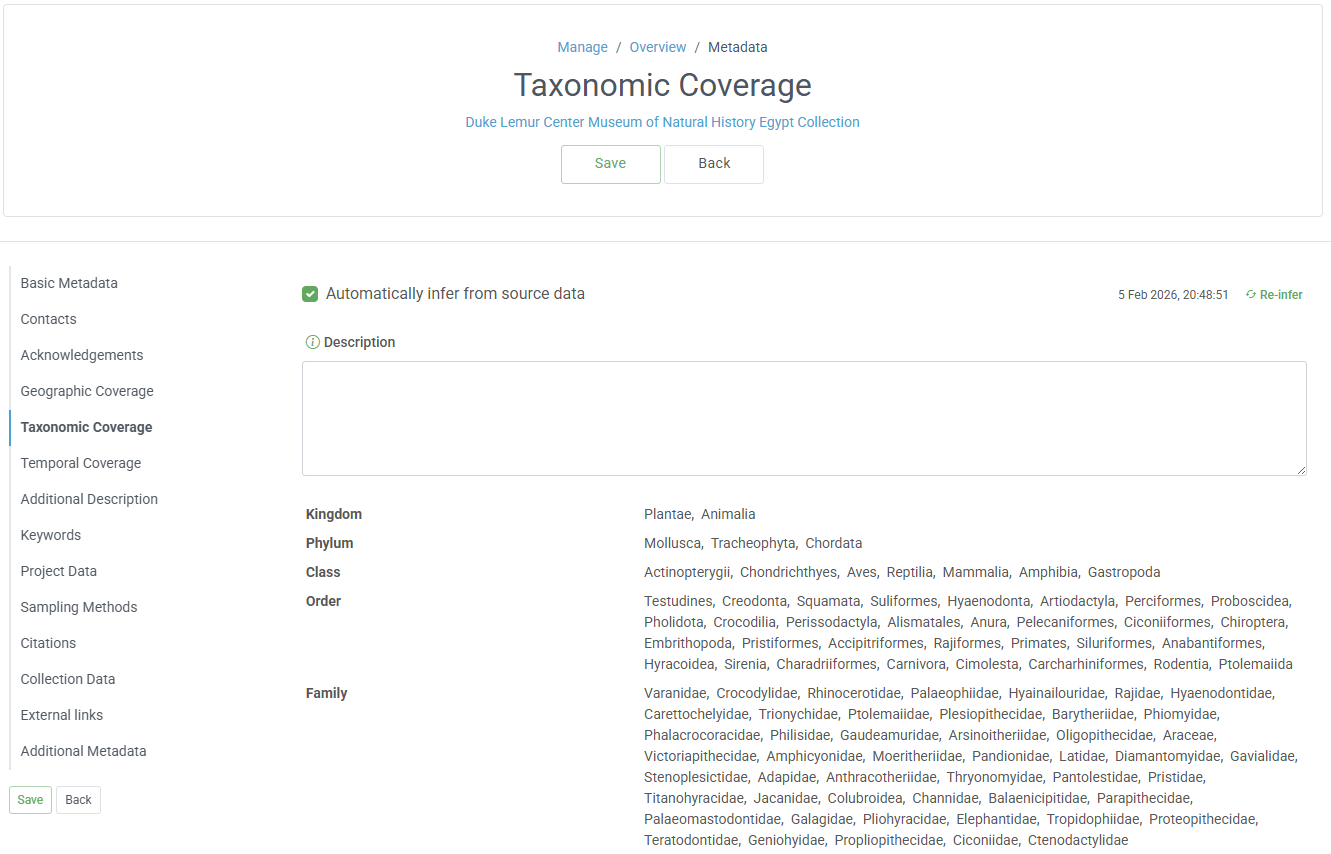
Click the Edit button next to the Metadata header, and fill in any required and applicable fields in each section in the list on the left. Some metadata can be populated if the values are present in the data, including geologic, taxonomic, and temporal coverage.